Fans First Tickets
3.1 53.00 Reviews
Analysis By AppCompare
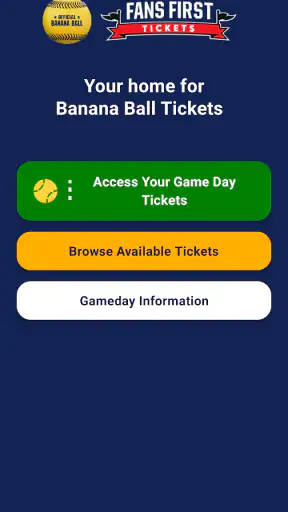
I approached Fans First Tickets as a practical tool for one specific problem: getting a Banana Ball ticket from the point of purchase to the person who will actually use it. That focus matters. This is not a general sports app, a scoreboard, or a broad event-discovery service. It is a free Sports app from Savannah Bananas, built around finding, managing, and transferring tickets.
My first impression was that the app makes most sense when I already have a clear reason to open it. If I am preparing for a Savannah Bananas event, checking what tickets are associated with my account, or passing a ticket to a friend, the purpose is obvious. If I am simply browsing sports content or looking for a complete match-day companion, I would expect too little from it.
The app is available to an Everyone audience, and its current version is 1.0.11. It supports devices running Android 7.0 or later. Those details make it approachable for people using older Android hardware, although the actual experience still depends on how smoothly the device handles account and ticket-related screens.
From receiving a ticket to getting it into the right hands
Starting with the real need
The most realistic starting condition is simple: I have a Banana Ball ticket somewhere in the ticketing process, but I need a reliable place to find it or send it onward. Perhaps I bought it for myself, received it from someone else, or need to transfer it because plans changed. In each case, the app is less about entertainment and more about reducing uncertainty before an event.
That distinction is useful because it sets the right expectations. I would not install this expecting news, live scores, team statistics, or a social feed. The app’s value is concentrated in ticket handling. For a fan who attends an event occasionally, that narrow purpose can be a strength: there are fewer unrelated sections competing for attention.
On the other hand, someone who wants one app for the entire sports outing may prefer a broader event platform. A normal ticket marketplace, a venue app, or a digital wallet may offer more general-purpose tools. Fans First Tickets is better suited to the specific Banana Ball ticket journey than to managing unrelated concerts, leagues, or venues.
Finding the ticket without searching through everything else
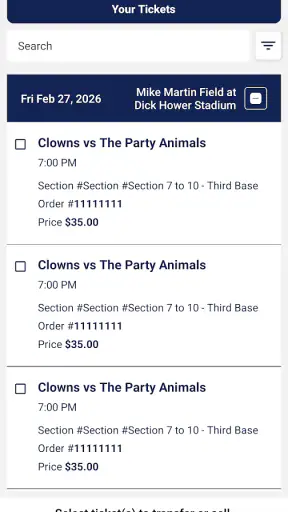
The first useful task is locating the ticket. Instead of relying on an email thread, a screenshot, or a message from the person who purchased it, I can use the app as the place to manage the ticket itself. That creates a cleaner starting point for the rest of the workflow.
A small but important habit is to open the app before leaving for the event rather than waiting until I am standing in a queue. I would check that the expected ticket is visible, confirm that I am using the intended account, and make sure the person receiving a transferred ticket knows what to look for. This is not glamorous advice, but ticket problems become much harder when the only available moment is at the entrance.
The app’s free price also removes a barrier to trying it for this purpose. I can install it without treating the download as another purchase. Still, free does not mean frictionless. Ticket tools depend on the correct account, the correct recipient, and the correct timing. An app can organize the process, but it cannot eliminate mistakes made before the ticket reaches the app.
Managing a ticket before the event
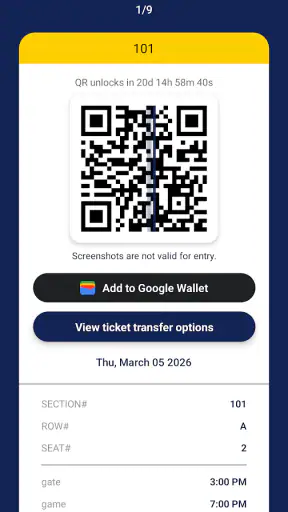
Once I have found the relevant ticket, the next step is deciding what needs to happen with it. If I am attending, I may simply keep it available for myself. If another person is going, the important action is transfer rather than forwarding a casual image or copying details into a message.
That distinction is one of the app’s practical strengths. A ticket transfer is easier to understand when it happens inside the same system used to manage the ticket. It gives the handoff a clear purpose: the recipient is not merely receiving a picture that may or may not be accepted, but taking responsibility for the ticket through the intended ticket workflow.
I would treat the transfer screen as a point where accuracy matters more than speed. Before confirming anything, I would check the recipient’s contact information carefully and make sure I am sending the correct ticket. This is especially important when I am handling several tickets for a group. The most useful workflow is to identify each attendee first, then transfer deliberately, rather than tapping through a list while people are waiting.
The handoff to another fan
The handoff is where Fans First Tickets becomes more useful than a simple storage folder. Imagine that I bought tickets for a group, but one friend is arriving separately. I can manage the ticket and transfer it to that person instead of asking the whole group to coordinate around one phone. The recipient then has a more direct relationship with the ticket they are expected to use.
That arrangement also helps when plans change. If one attendee can no longer go and another person takes the place, the ticket workflow can follow the new attendee rather than leaving the original purchaser responsible for every entrance interaction. I would still communicate with the replacement attendee outside the app so they know the event details and timing, but the app handles the central ticket handoff.
A useful trade-off appears here. Transferring tickets can reduce crowding around one account, but it also creates more points where a person may misunderstand what to do next. I would tell the recipient to look for the ticket in Fans First Tickets, not assume that a text message alone completes the process. The app is most helpful when everyone treats it as the shared source of truth.
What the recipient needs to understand
From the recipient’s perspective, the process should be treated as an acceptance and preparation task, not just a notification. After being told that a ticket was sent, I would open the app, check the relevant ticket, and keep the device ready before reaching the venue. That is a better routine than waiting for the sender to remain available throughout the evening.
This is also where the app’s Everyone rating is reassuring for mixed-age groups. A family can use the same basic ticket workflow without the app presenting itself as an adult-only service. The rating does not make every event decision automatic, of course, but it does fit the straightforward purpose of handling attendance.
For a parent managing tickets for children, I would consider who should hold each ticket and whether every attendee has a practical way to access theirs. The app can support the transfer, but the family still needs a plan for devices, arrival time, and supervision. That is a real-world limitation of any digital ticket system, not something this app can solve by itself.
Reaching the outcome
The desired result is not simply that a ticket exists in an account. The result is that the right person can access the right ticket when it matters. Fans First Tickets is successful when it turns a vague question—“Who has the ticket?”—into a clearer arrangement where each attendee knows where their ticket is managed.
For my imagined group outing, the finished workflow would look like this: I identify the tickets, keep the one I need, transfer the others to the correct friends, and ask each recipient to check their own access before travel. That division of responsibility is more useful than keeping everything on one phone and hoping the group stays together.
The app’s adoption suggests that this focused approach has found an audience. It has passed one hundred thousand installs, while its average rating is 3.1 from eighty-six ratings and fifty-three written reviews. I read that combination as a reason to stay practical rather than blindly enthusiastic: enough people are using it to make the workflow worthwhile, but the rating indicates that not every experience has been smooth.
Where the flow can break
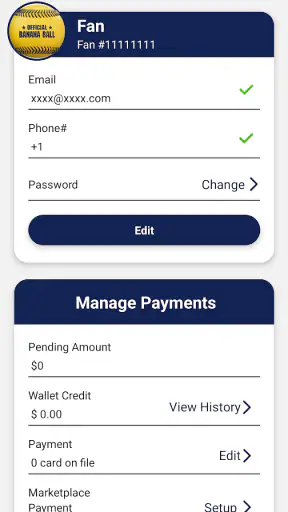
The first weak point is account confusion. If I open the app under a different account from the one connected to the ticket, the experience can feel as though the ticket has disappeared. Before assuming there is a serious ticket problem, I would verify the account and retrace how the ticket was purchased or transferred.
The second weak point is the recipient handoff. A transfer is only useful if the recipient knows that they are expected to complete their side of the process. Sending a message such as “I sent your ticket” without explaining where to check it can leave the recipient searching through email or asking the sender to resend information. A short instruction alongside the transfer is worth the extra moment.
The third weak point is last-minute dependence. I would not make the app part of an emergency plan without opening it beforehand. If a group waits until the entrance to decide who receives which ticket, even a well-designed process becomes stressful. The app helps most when the administrative work happens before the crowd and the pressure.
There is also a broader limitation: this is not the best choice for people who need a universal ticket manager. If I regularly attend events from many organizers, I may prefer a general wallet or ticketing service that keeps everything in one place. Fans First Tickets is more compelling when the event itself is tied to the Savannah Bananas ticket experience.
How it compares with usual alternatives
The most obvious alternative is an email inbox. Email can preserve the original purchase or transfer message, but it is not always a comfortable place to manage a group’s attendance. Messages get buried, multiple attachments become confusing, and the person who forwarded a ticket may remain the informal owner of the process.
A screenshot is even less dependable as a workflow. It may show useful information, but it does not provide the same clarity as managing the ticket through the dedicated app. Screenshots also encourage people to pass around copies without knowing which version is current. For a simple, one-person situation, that may seem adequate; for a group, it quickly becomes messy.
A general digital wallet can be convenient for storing tickets from many services. Its advantage is breadth, not specialization. If I want one place for flights, concerts, and sports events, the wallet may be better. If I want a ticket-specific path for finding and transferring Banana Ball tickets, Fans First Tickets has the more relevant focus.
That comparison leads to a sensible rule. Use this app when the ticket’s journey begins and ends within the Savannah Bananas experience. Use a broader alternative when your main problem is organizing every kind of pass and reservation on your phone. Neither choice is automatically superior; the right one depends on whether specialization or consolidation matters more.
Three habits that make the app more useful
My first recommendation is to separate ticket ownership from group communication. Use the app for the ticket handoff, but use your normal messaging app to tell friends what you transferred, where to check, and when to arrive. Keeping those roles separate prevents an informal conversation from becoming the only record of the ticket.
Second, transfer tickets one person at a time when the group is large. It may feel faster to handle everything in a rush, but an individual check after each transfer makes it easier to catch an incorrect recipient. This is particularly valuable when several attendees have similar names or when one person is bringing a child.
Third, perform a pre-event rehearsal. I would open the app while still at home, verify that my own ticket is available, and ask recipients to do the same. That quick check exposes account or handoff confusion while there is still time to correct it. It also prevents the common mistake of treating a successful send notification as proof that the recipient has actually located the ticket.
Who should use it, and who should skip it
I would recommend Fans First Tickets to Savannah Bananas fans who buy or receive tickets and want a dedicated place to manage them. It is especially useful for the person who organizes a group outing, because transferring tickets can distribute responsibility instead of forcing one buyer to manage everyone at the gate.
It also suits occasional attendees who dislike searching through old messages. The free download makes it easy to use for a particular event without committing to a paid subscription. The older Android support is another practical advantage for people who are not using a recent phone.
I would skip it if I have no Banana Ball ticket to manage, if I want a broad sports-information app, or if I already have a dependable all-purpose ticket system and never need to transfer tickets. Installing a specialized tool without a specialized need simply adds another place to check.
I would also be cautious about relying on it as the only part of a complicated group plan. The app can manage the ticket path, but it does not replace communication, arrival planning, or a backup understanding of who is responsible for each attendee. Its narrow purpose is valuable precisely because it should not be mistaken for a complete event-management system.
My final take after following the full workflow
Fans First Tickets is a focused app with a clear job. I like it most when I imagine the complete journey: a ticket begins with one person, needs to be found and organized, moves to another attendee, and ends with that attendee ready to use it. The app gives that journey a dedicated home instead of leaving it scattered across inboxes, screenshots, and group chats.
Its limitations are equally clear. The experience depends on correct account use, careful recipient details, and preparation before arrival. The modest 3.1 average rating tells me to keep expectations realistic, especially if I am dealing with a last-minute change. I would test the workflow early rather than assume every handoff will be effortless.
Still, for the right audience, the specialization is the point. Savannah Bananas fans who need to find, manage, and transfer tickets have a more relevant option than a generic sports app. I would recommend it to the group organizer and to anyone receiving a ticket directly, with one condition: open it before the event, confirm the handoff, and do not leave the important part of the process until the entrance.
Developed by Savannah Bananas, the app is a sensible companion for ticket administration rather than a full sports destination. If that is exactly the problem I need to solve, the focused design works in its favor. If I want much more than ticket handling, I would choose a broader alternative and keep this app only for the Banana Ball ticket workflow.
FAQ
What is Fans First Tickets?
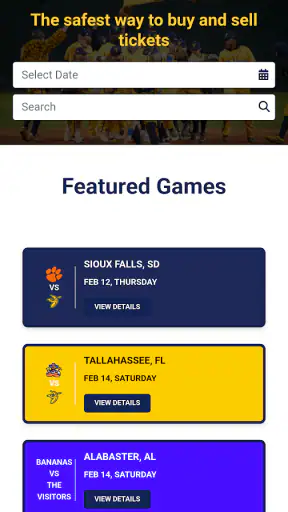
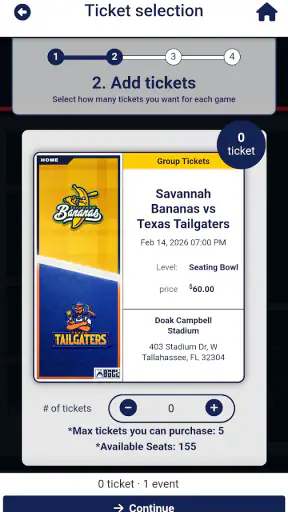
Fans First Tickets is a ticketing platform designed to help supporters find and purchase tickets for selected sporting events, concerts, and other live experiences. Its main focus is offering fans a direct and convenient way to browse event listings, review available seating or ticket options, and complete purchases through a mobile device or website. Availability and supported events may vary by location.
Can I use Fans First Tickets to buy tickets for every event?
No. Fans First Tickets does not necessarily provide tickets for every concert, game, or venue. The events available depend on the organizers, teams, artists, venues, and geographic region supported by the platform. Before downloading or relying on the app, check whether your preferred event is listed and whether ticket sales are open in your country or area.
Are tickets purchased through Fans First Tickets legitimate?
Tickets purchased through the official Fans First Tickets platform are generally issued through the event’s authorized ticketing process, but users should still verify the event details, seller information, delivery method, and purchase confirmation carefully. Avoid buying through unofficial links or third-party messages claiming to represent the service. Keep your confirmation email or digital ticket available until you enter the venue.
Does Fans First Tickets charge additional fees?
The final price may include more than the advertised ticket value. Depending on the event, Fans First Tickets or the event organizer may add service charges, facility fees, delivery costs, taxes, or other transaction fees. Review the complete price breakdown before confirming payment. Refund rules, exchange policies, and fees can also differ between events, so read the terms shown during checkout.
What should I do if I cannot access my ticket after purchasing it?
If your ticket does not appear, first check that you are signed in with the same account or email address used during checkout. Also review your confirmation messages, internet connection, app updates, and any available ticket or order section. If the problem continues, contact Fans First Tickets support using the official help channel and provide your order details, while avoiding sharing sensitive payment information publicly.
Pros
- Official ticket access can reduce the risk of buying counterfeit tickets.
- Mobile tickets are convenient to store and present at venue entrances.
- Fan-focused offers may provide access to special sales or event promotions.
- Event details and ticket information are available in one place.
- Useful for supporters who regularly attend participating team events.
Cons
- Availability is limited to teams
- venues
- and events supported by the platform.
- Popular tickets may sell out quickly during presales or general sales.
- Some purchases may include service
- delivery
- or facility fees.
- The app may require account creation and personal information to use fully.
- Ticket policies
- transfers
- and refunds can vary by event and organizer.